Integrating with MS Teams allows you to create and manage MS Teams meetings directly from AlphaLearn LMS.
Note: An active MS Teams subscription is required to use this feature.
Steps
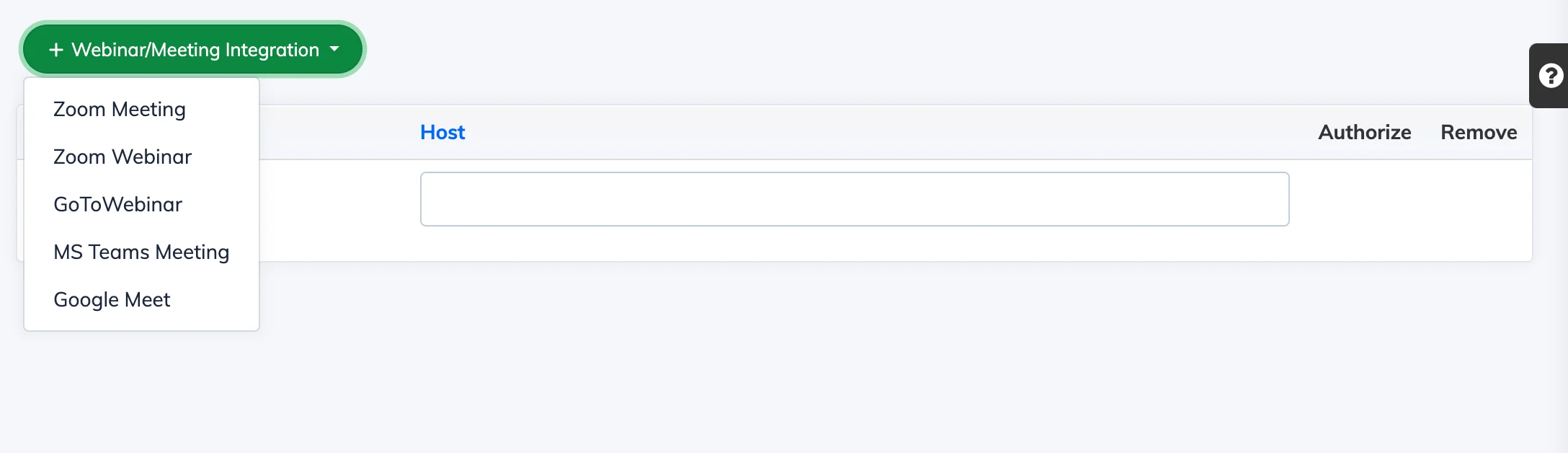
- Go to Integrations → Webinars / Meetings.
- Click + Webinar/Meeting Integration and select MS Teams Meeting from the Provider dropdown.
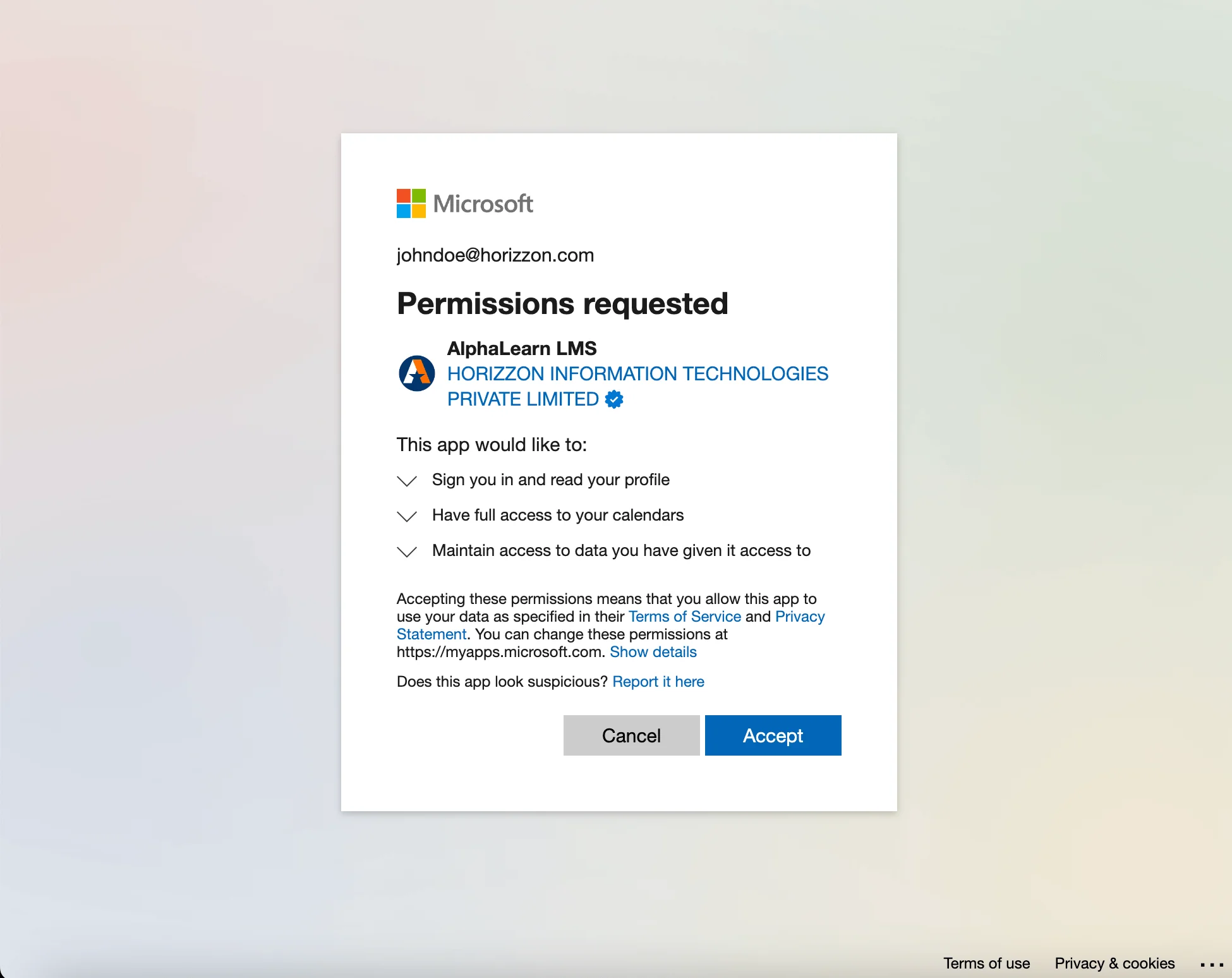
- Log in to your MS Teams account and click Accept to authorise the integration.
You can now create and manage MS Teams meetings from within AlphaLearn.